
OpenVPN Client Configuration
If you are in need of utilizing OpenVPN on any of your devices, to include routers or any other device that supports the OpenVPN protocol, you will need your OpenVPN username, OpenVPN password, and the OpenVPN configuration files.
Log onto your account from the PatriotVPN login page.
Once logged in, look in the shortcut menu and click on the 'OpenVPN Credentials':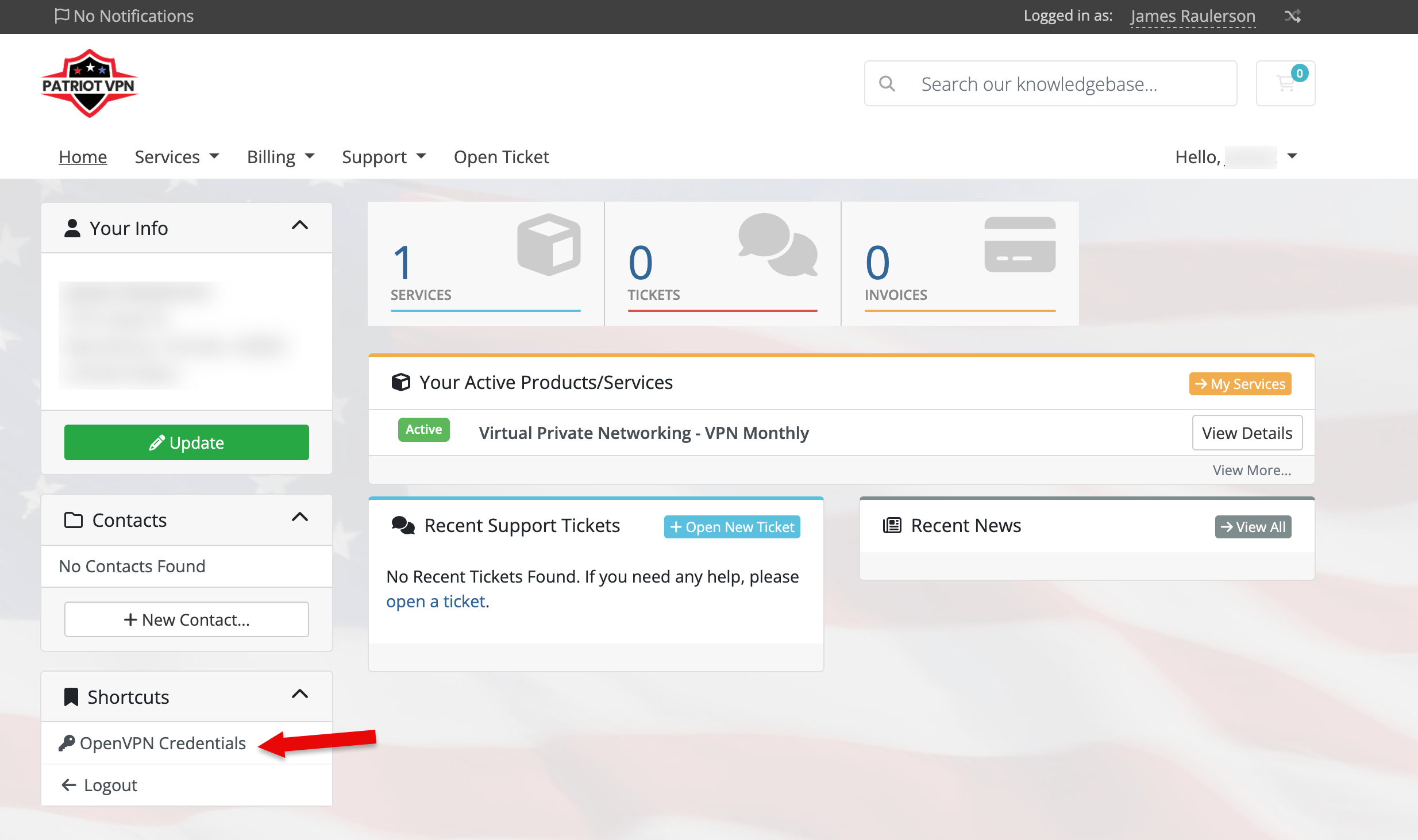
Once you have clicked on that link, you will be shown the following:
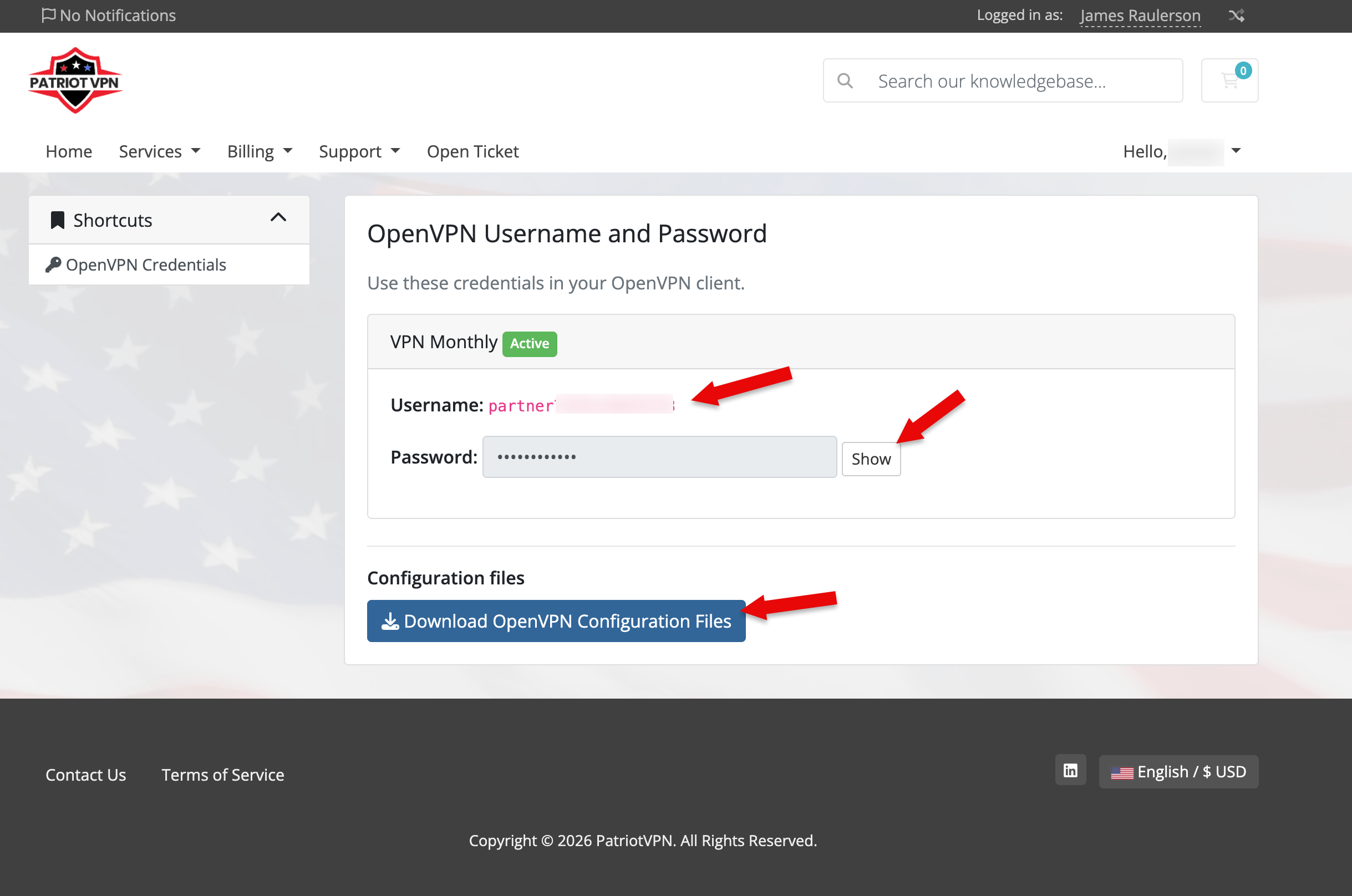
Copy the username and password, then download the OpenVPN configuration files.
Please refer to your device's instructions on importing the .ovpn configuration and using the username and password.
